Change the icons for all your drives

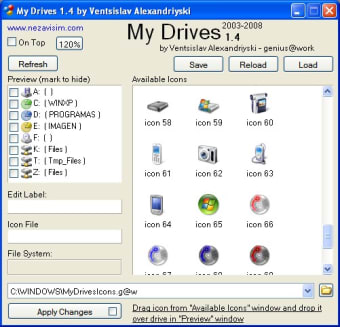
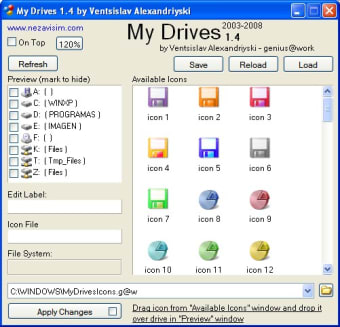
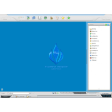
Most of the icons Windows uses for drives are very boring and generic. The only thing that changes is the letter which is why I like My Drives because it allows you to assign a different icon to each one whether its your internal hard drive or an external drive.

What I like about this is it's much easier to differentiate between drives rather than have to remember a letter. I have so many attached to my PC that it's sometimes difficult to remember what contains what but I somehow find it much easier with different icons.

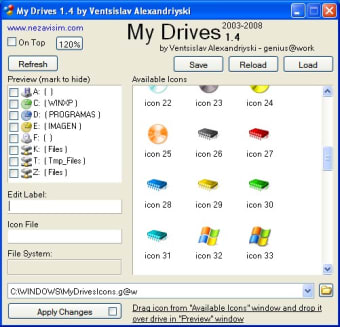
The program comes preinstalled with several different options for logos such as a cellphone, a pendrive, video camera, photo, logo, Windows partition, and so on.

However, it's a shame it doesn't come with a lot more because drives can be used to store much more than these - the most obvious being documents - but it doesn't cater for all.

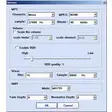
On the plus side, it's easy to install and assign icons to your drives. The most annoying thing however is that once you click "Apply Changes" the computer is restarted.

This is because Windows can't handle changing the image whilst Windows is operating - even Vista.

My Drives is a clever little program that gives you more control over your drive icons but it's s ahem about all the annoying restarts.


  • Pros

    • Allows you to identify drives more easily
  • Cons

    • Requires restart after changes
 0/3

App specs

  • License

    Free

  • Version

    1.4

  • Latest update

  • Platform

    Windows

  • OS

    Windows 2003

  • Language

    English

  • Downloads

    18.2K

  • Size

    1.06 MB

  • Developer

Program available in other languages


User reviews about My Drives

Have you tried My Drives? Be the first to leave your opinion!

Add review

You may also like

Alternatives to My Drives

Explore Apps

Latest articles

Laws concerning the use of this software vary from country to country. We do not encourage or condone the use of this program if it is in violation of these laws.
Softonic

Is My Drives safe?

Score result: Clean

This file passed a comprehensive security scan using VirusTotal technology. It is safe to download.

  • Virus free
  • Spyware free
  • Malware free
  • Verified by Security Partners

    VirusTotal logo

Scan Info

Last scan
Wednesday, December 2, 2020
Scan provider
VirusTotal

Softonic security commitment

My Drives has been thoroughly scanned by our advanced security systems and verified by industry-leading partners. This file comes from the official developer and has passed all our security checks, showing no signs of viruses, malware, or spyware. For more information, visit our Security and Trust Center